The ConvertJsonToString activity can be used to convert a JSON (JavaScript Object Notation) value into a string representation of a JSON object.
The ConvertJsonToString activity is located in the XML/Json section of the Tribal Toolbox.
This activity contains the following relevant properties.
| Section | This field | Holds this information... |
|---|---|---|
| Inputs | InputObject | The JSON object to convert. |
| Misc | DisplayName |
The title of the activity. Important.The DisplayName property is set to ConvertJsonToString by default.
|
| Outputs | OutputObject | The converted string representation of the object. |
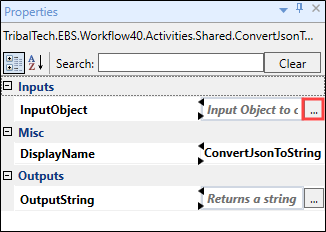
Selecting the ellipsis button adjacent to the relevant field opens the Expression Editor, where you can enter the relevant code in the Visual Basic (VB) format.
 Use the ConvertJsonToString activity
To use the ConvertJsonToString activity in a workflow:
-
Select the Tribal Toolbox tab in the XML/Json section of Workflow Builder .
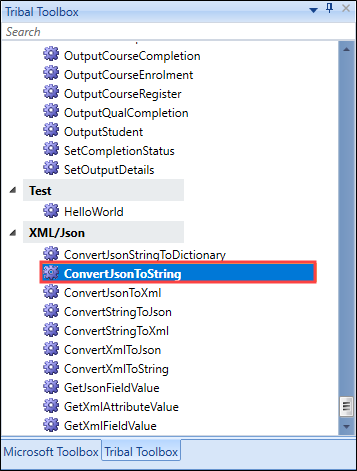
-
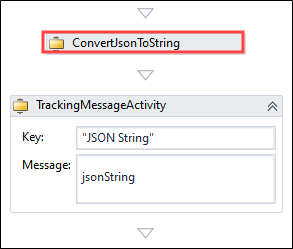
Drag and drop the ConvertJsonToString activity into the desired location within the Sequence panel. In this example, ConvertJsonToString is followed by TrackingMessageActivity so that the output can be viewed.
-
Enter values for the InputObject and OutputString fields and add a name for the activity to the DisplayName field. Select the ellipsis button adjacent to the relevant fields to open the Expression Editor.
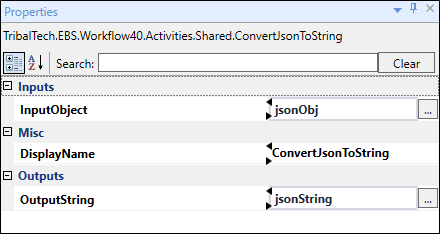 Important.An exclamation mark symbol indicates a warning. Refer to Use the Warnings Panel for further information.
 -
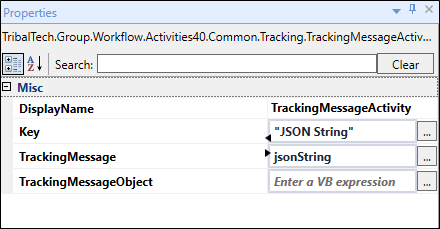
Enter values for TrackingMessageActivity fields, Key and TrackingMessage fields and add a name for the activity to the DisplayName field.
-
Select Save .
You can now trigger the workflow and use the User Tracking tab to ensure that the JSON string is converted to a string representation of a JSON object.